Smarter search for a benefits lookup tool
Call center reps use an internal benefits lookup app on every call. Its search only matched exact keywords, so a typo or the wrong term meant zero results.
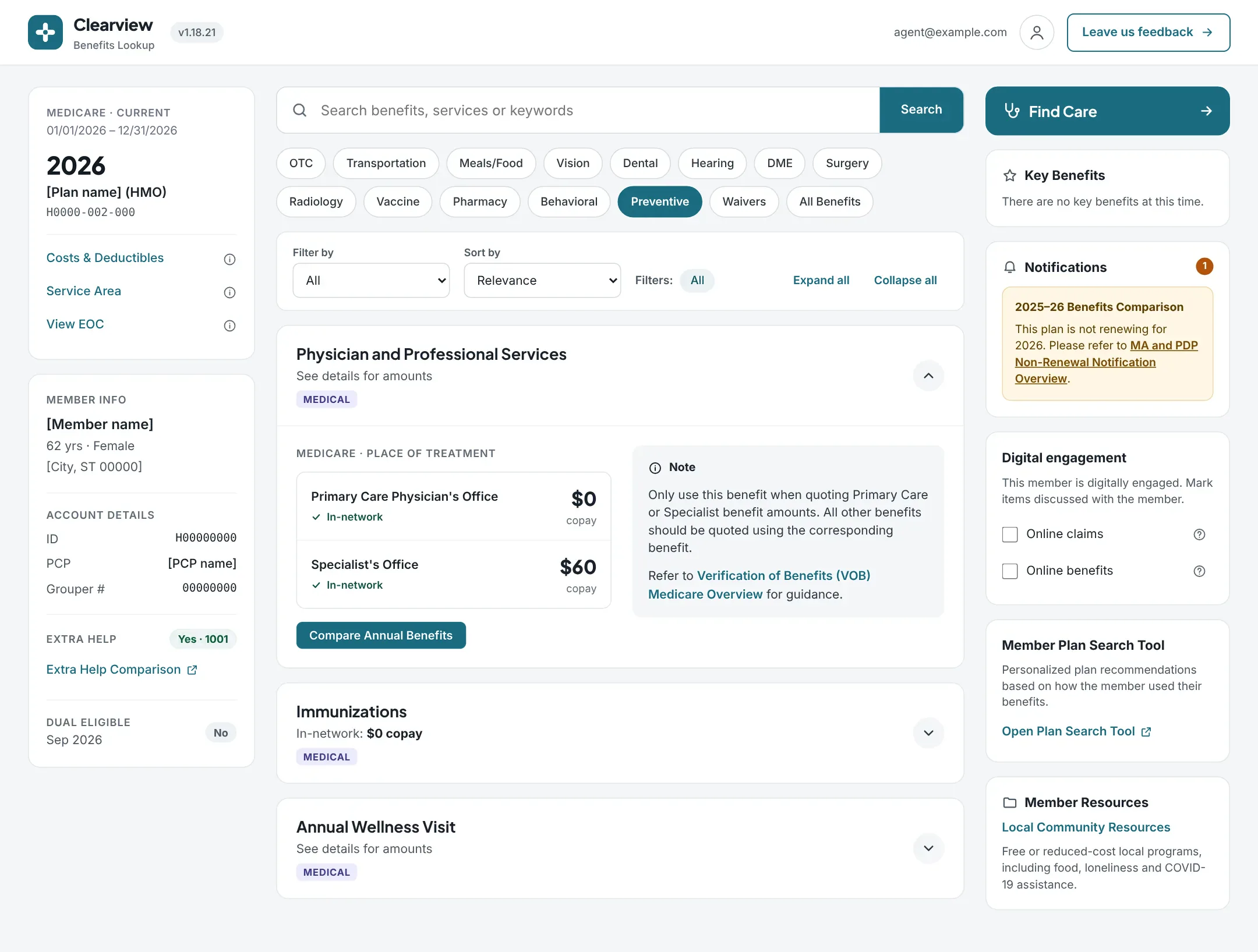
A refreshed view of the benefits lookup screen. Member details are placeholders.
- My role
- Senior Product Designer
- Responsible for
- Gathering user feedback and heuristic reviews
- Users
- Call center representatives helping members over the phone
- Status
- Concept, with strong stakeholder support
Overview
A major health insurance company has an internal benefits lookup application for its call center representatives. When members call in for help, reps use it to answer questions about the caller’s plan.
It is their primary source of information about each customer’s specific plan.
The problem
When a rep entered a keyword or question, search scanned the benefit wording and a list of manually uploaded aliases. Anything that didn’t match exactly was missed.
Health insurance language is full of long, technical words, and reps are already under pressure with a member on the line all day. Expecting them to spell every term correctly asks too much.
What search couldn’t handle
- Misspellings
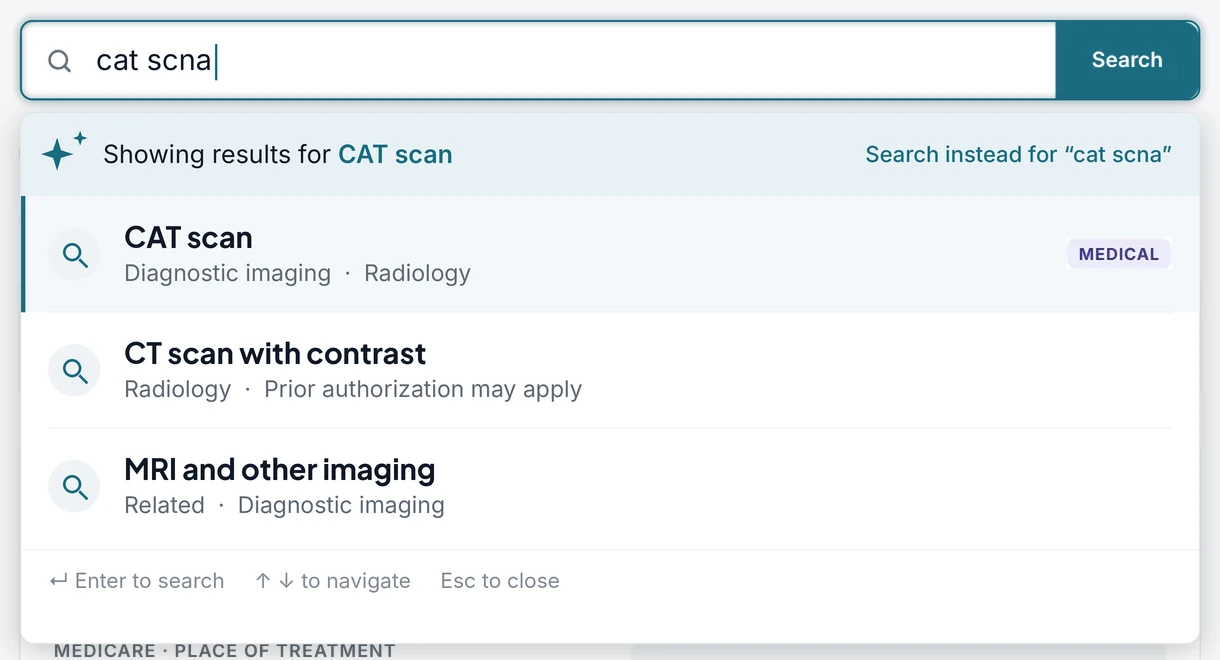
- The wrong intended search, such as mistaking an MRI for a CAT scan
- Other everyday user mistakes
The workaround
Some reps said that when a search returned 0 results, they clicked “View All Benefits.” That loads every benefit on one screen, and they browsed until they found what they needed, with a member waiting.
Discovery
Customer service representatives reported the problem, and it was discovered through heuristic reviews.
Alternatives explored
Before settling on a direction, I looked at three other ways to help reps find benefits faster.
AI chat agent
Adding a conversational assistant to the interface.
Most recent searches
Showing the rep’s own recent queries for quick reuse.
Most popular searches
Surfacing the queries reps use most often.
The solution
I recommended adding smart search on top of the existing search to fill the gaps reps were running into. It was by far the most useful and robust option, and it needed no changes to the existing UI.
1. Natural input
Reps type or speak a complete, natural question or description instead of guessing specific keywords.
2. Context and intent
The system evaluates the meaning of the words, considers past interactions and current context, and looks past typos and alternative phrasing.
3. Semantic matching
Instead of only matching benefits that contain the exact words, it retrieves content that matches the topic or concept.
4. Personalization and feedback
The engine refines future results based on what reps click, look at or adjust.
Smart search dropdown
Final thoughts
The project is still in the concept phase, but the first response from stakeholders was extremely positive. Everyone involved believed this was the answer they had been looking for.
The next step is an interactive prototype to test with users before moving to development.